

How to create a customer account on Hostednode
Learn how to create your Hostednode customer account as a business or an individual, complete the form, and activate your account through a link sent by email.
1. Access the registration form
Open the following address in your browser to start registration:
https://portal.hnd.io/signup/
2. Select the account type
Choose whether to create the account as a company or as an individual. The fields you need to complete will appear based on the option you select.
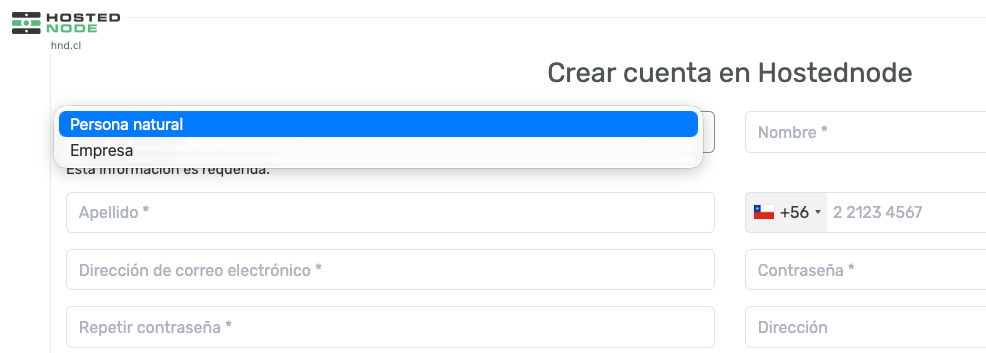
3. Complete the form
Enter the information requested for your chosen account type. Check that it is correct before submitting the form.
4. Activate your account
Once you complete registration, you will receive an email with an activation link. Open the message and follow the link to activate your Hostednode account.