

How to Add an Additional User to an Existing Database in DirectAdmin
Create an additional user or choose an existing one, grant them access to a database, and review their privileges in DirectAdmin.
Creating a database user and granting them access to a database are separate actions. The new user cannot use any database until you explicitly grant access.
Before you begin
Identify the full name of the existing database and the permissions the person or application needs. Keep the current user: you do not need to replace it to add another one.
On the dashboard, open Account Manager → Databases.
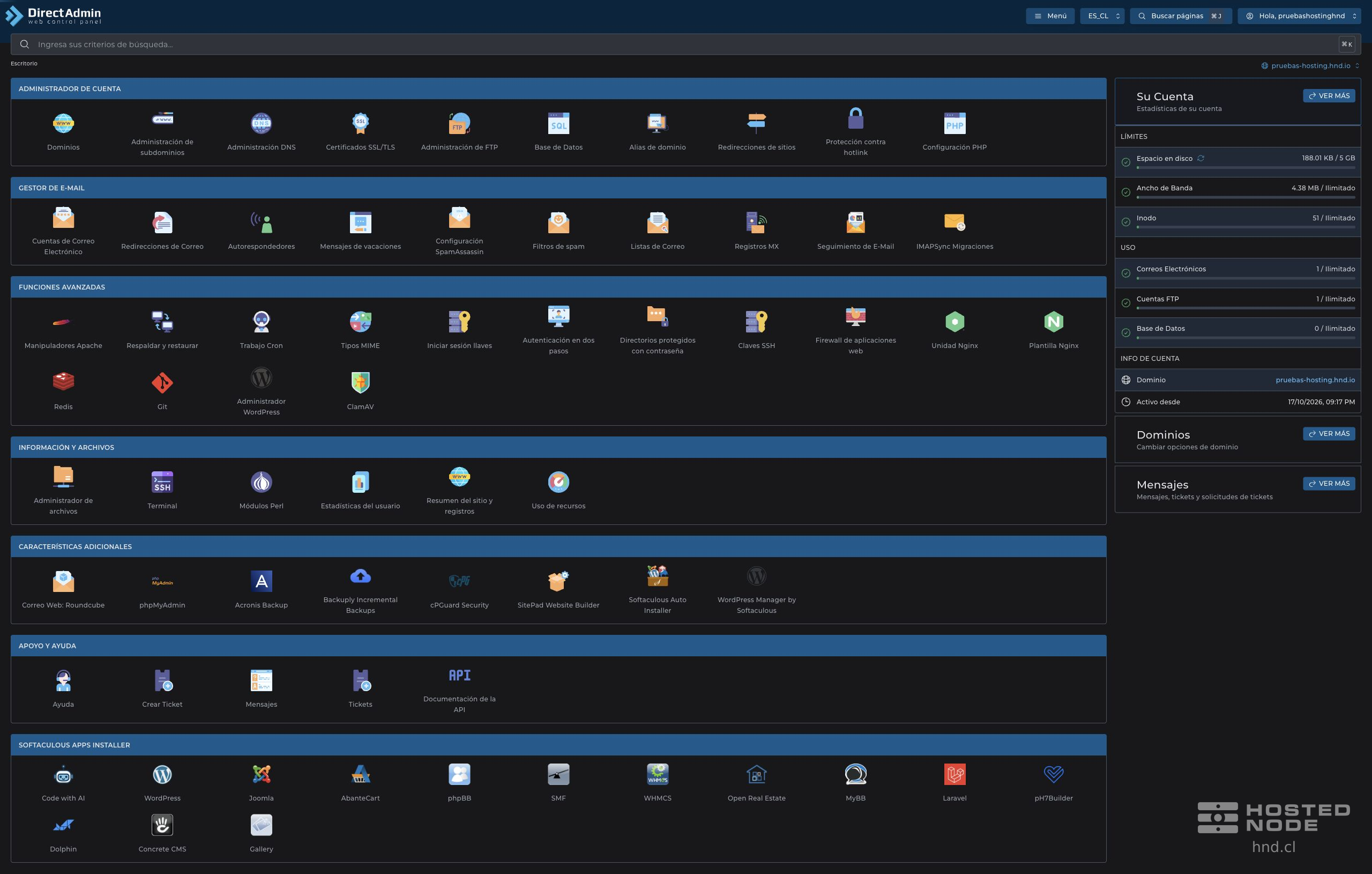
1. Create the additional user if it does not already exist
Click Manage Users.
Under Create User, enter the suffix in Username. The panel adds your account prefix before it.
Set a long, unique password and click Create.
Store the connection summary privately and close it before sharing your screen.
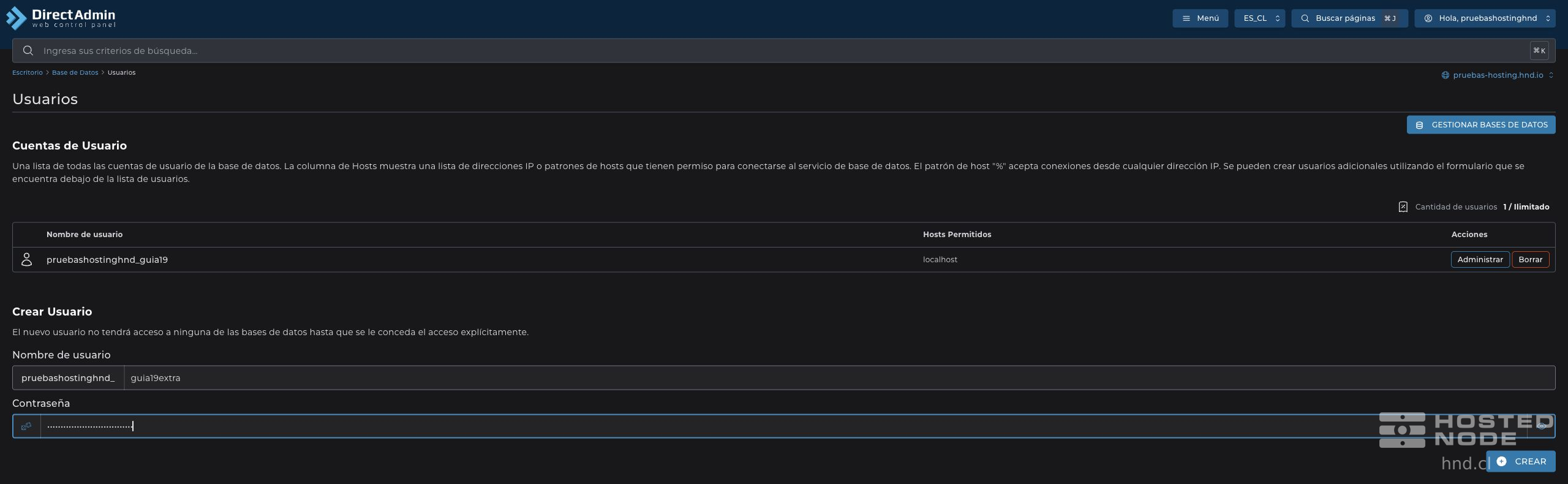
If the user already appears under User Accounts, you can proceed with the association without creating it again. The allowed host shown for this account is localhost; you do not need to expand it to associate a local database.
2. Grant access to the existing database
Return to Manage Databases and click Manage in the row for the correct database.
Find User Access → Grant Access to an Additional User.
Open the selector and choose the user's full name.
Review the notice that all available privileges will be granted and click Grant Full Access.
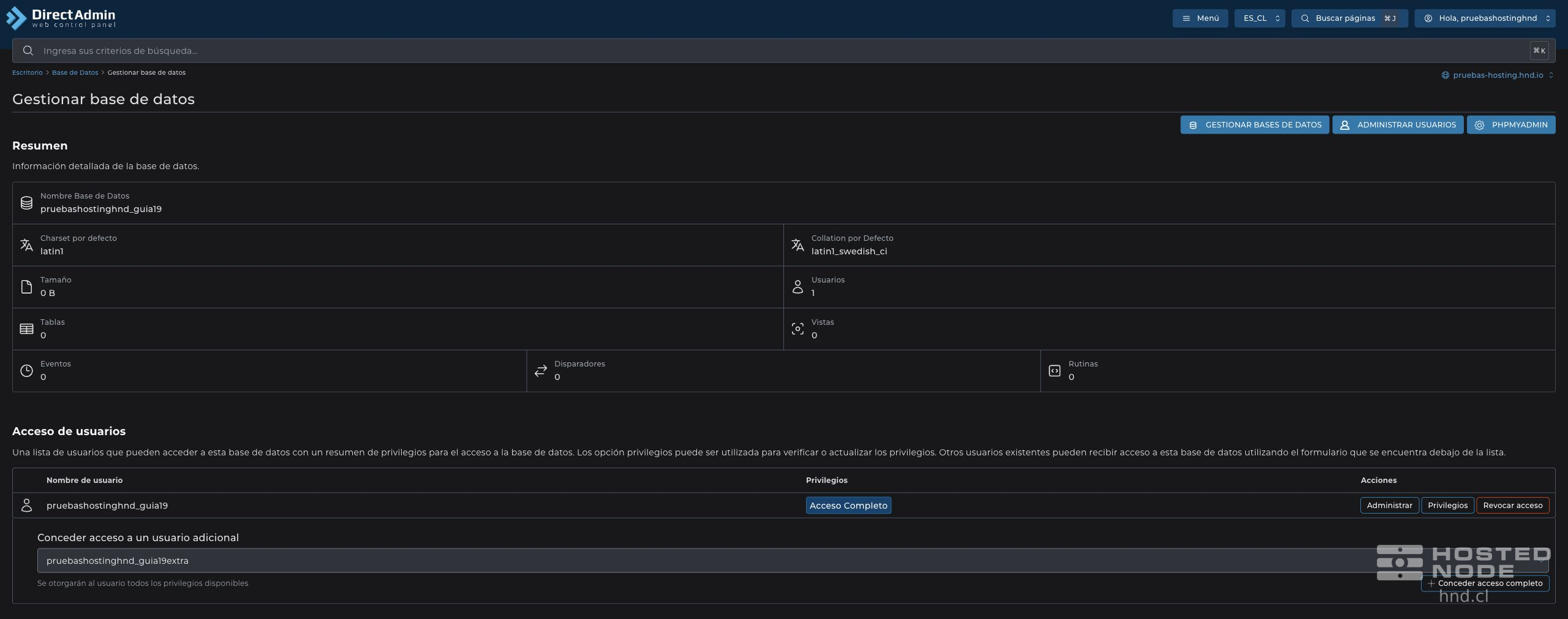
Wait for the confirmation The user was successfully assigned to the database. The user should appear under User Access alongside the existing user.
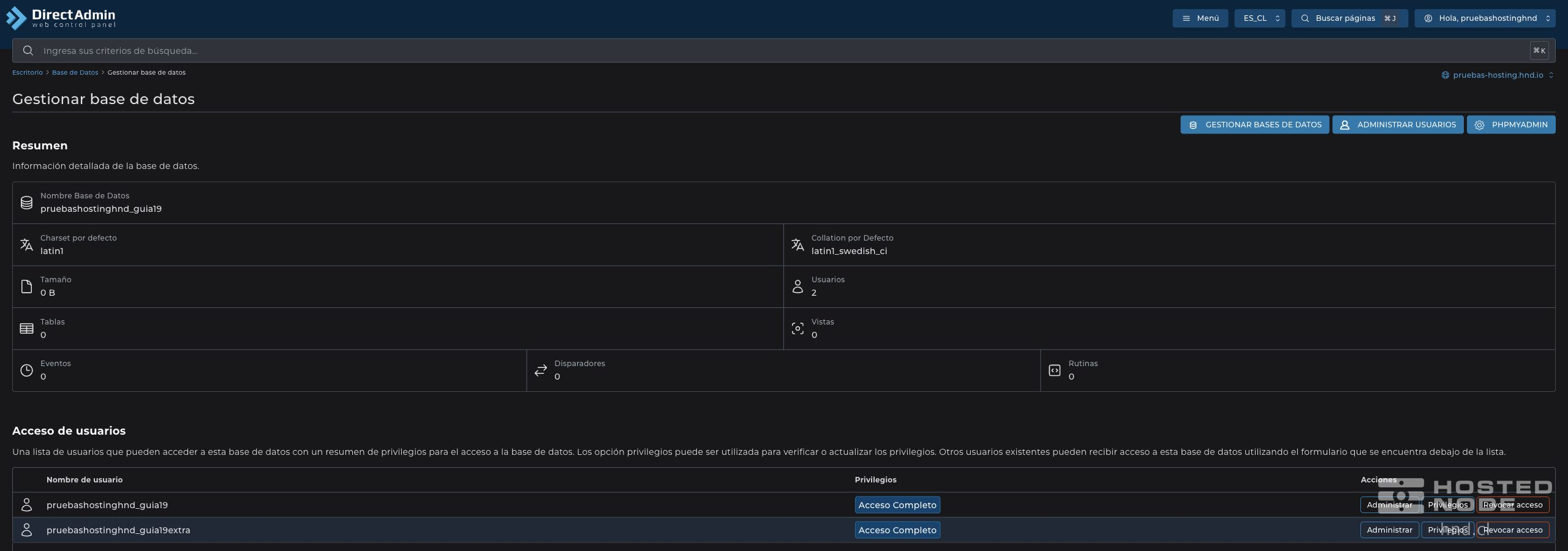
3. Review the privileges
The Grant Full Access button grants full access to that database. If the application requires fewer permissions, open Privileges in the new user's row, keep only the required permissions, and click Save Changes.
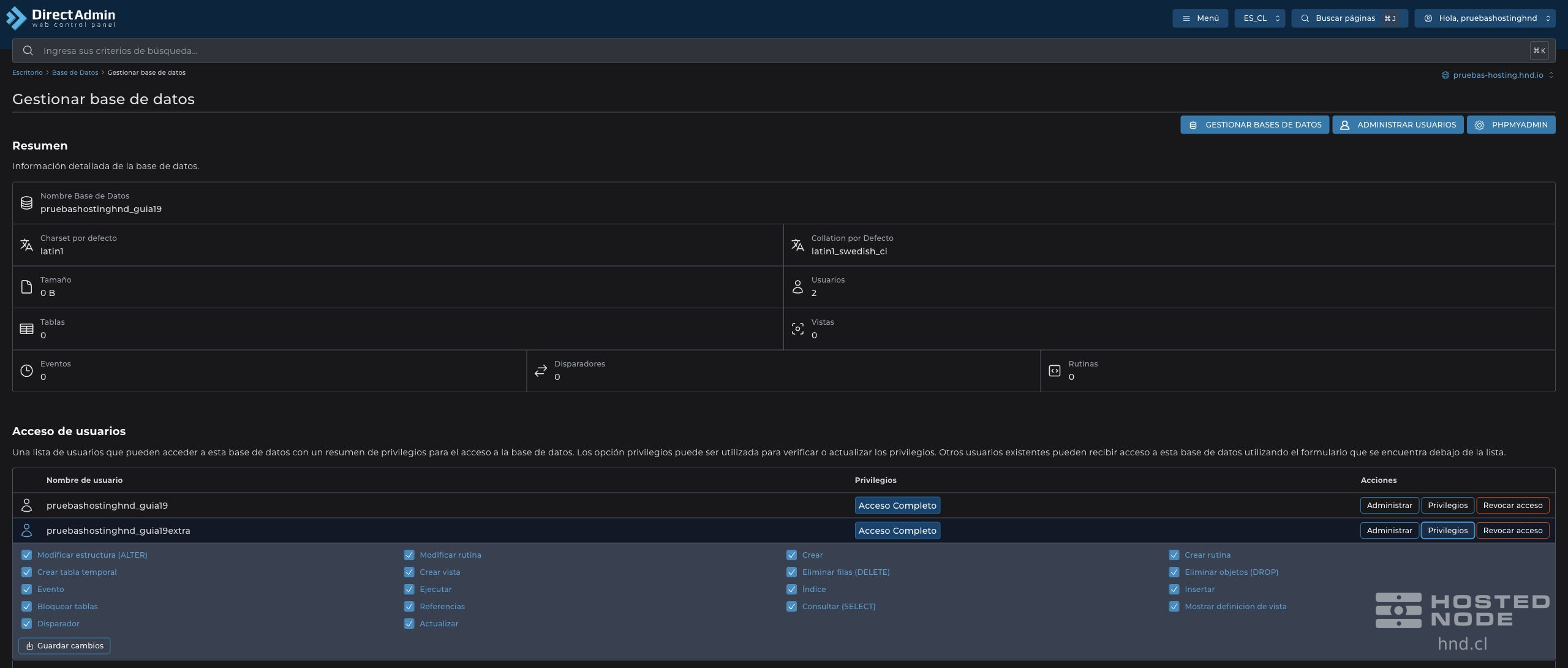
Check the database name, the new user, and their permissions. Use their credentials in the relevant application and verify that it can perform the authorized operations.
If the user does not appear in the selector, check whether it is already associated or still needs to be created. Revoke Access removes the association with that database; do not use it on the existing user if you only want to add another one.