

DocumentationWhat payment methods does Hostednode accept?What are Hostednode's billing cycles?When is the monthly renewal charge generated?When are services suspended for non-payment?When is a service deleted for non-payment?What should you do if a payment method is unavailable?Are all services subject to VAT?Do you issue receipts or invoices?How to create a customer account on HostednodeDo you accept cryptocurrency payments?How to Access DirectAdmin and Explore the Panel’s Main FeaturesHow to Configure PHP for Subdomains and Additional Domains in DirectAdminHow to change the PHP version and settings in DirectAdminHow to Create an Email Account in DirectAdminHow to use ClamAV antivirus from DirectAdminHow to Enable and Use Redis from DirectAdminHow to Add a Domain Alias and Use It for Email in DirectAdminHow to Add an Additional Domain in DirectAdminHow to Add an Additional User to an Existing Database in DirectAdminHow to configure an autoresponder in DirectAdminHow to Set Up a Vacation Message in DirectAdminHow to Create a Subdomain in DirectAdminHow to Create a Cron Job in DirectAdminHow to Create a Database and Associate Its User in DirectAdminHow to Create an FTP Account in DirectAdminHow to Create a Mailing List in DirectAdminHow to Create an Email Forwarder in DirectAdminHow to Create a Site Redirect in DirectAdminHow to Install WordPress with Softaculous WordPress Management in DirectAdminHow to Install WordPress with the DirectAdmin WordPress ManagerHow to Modify MX Records to Use Google Workspace in DirectAdminHow to review the web application firewall and create a rule exception in DirectAdminHow to Check Account Resource Usage in DirectAdmin
TUTORIAL

How to Create a Mailing List in DirectAdmin

Create a mailing list in DirectAdmin, open its subscriber list, and add an address to the regular list or its digest version.

A mailing list groups subscribers under an address on your domain. DirectAdmin lets you create it and manage both regular and digest subscribers.

Before you begin

Check the active domain, confirm that its email is managed by your hosting service, and verify that your plan includes mailing lists. Choose an available name and only add addresses whose owners have authorized the subscription.

From the dashboard, open E-mail Manager → Mailing Lists and click Create Mailing List.
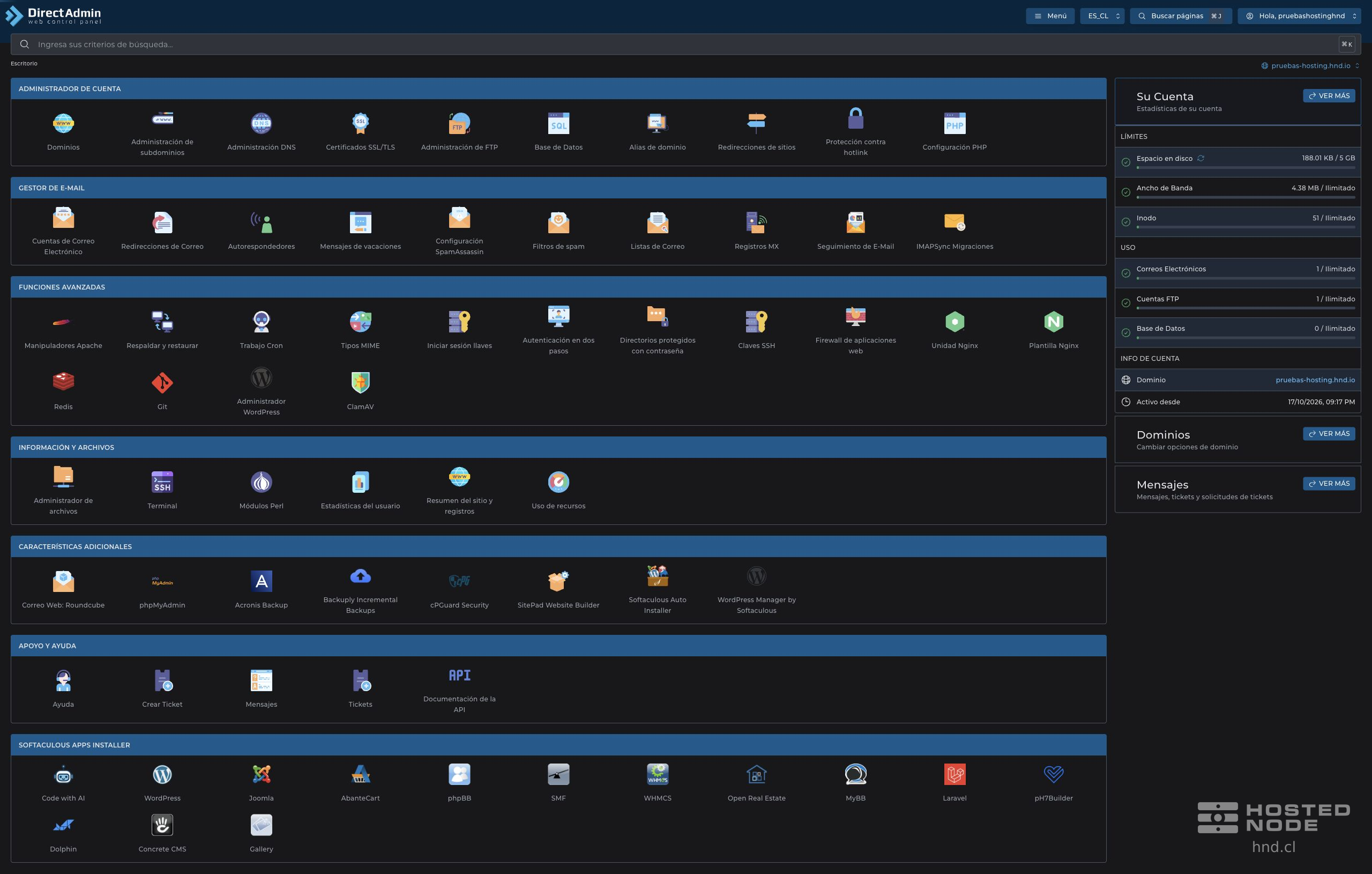
DirectAdmin dashboard with tool groups and account statistics.

1. Create the list

  1. In List Name, enter the name without the @ sign or domain.

  2. Check the domain that the control panel will append to the name.

  3. Click Create and wait for Mailing list created.
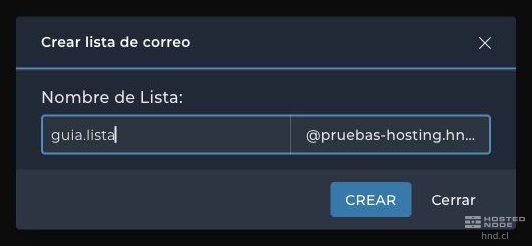
List name and the domain DirectAdmin will append.

The list appears with its full address, the number of Subscribers, the Digest Subscribers and the Archive Size.

Created list with its subscriber counts and archive size.

2. Add a subscriber

  1. Click the list address to open View Mailing List.

  2. Click Add Subscriber.

  3. In Email Address, enter the subscriber's full email address.

  4. In Add to, choose the regular list or the variant ending in -digest.

  5. Click Add and wait for Email added to the list.
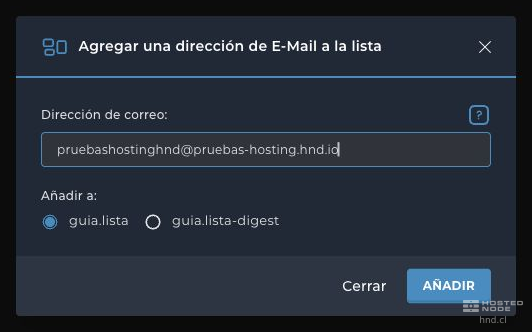
Form for adding an address to the regular or digest list.

Regular mode delivers list messages individually. The digest mode groups messages into digests according to the list settings. Check which tab you are on before adding or removing an address.

3. Check the settings before using the list

Return to the list overview and verify the address and subscriber count. The list's row includes Edit, where you can review its settings before using it with your recipients.

Creating the list does not mean that all senders can post without restrictions. Check its subscription and posting conditions and run a test with authorized recipients before using it regularly.

If a subscriber does not appear, also check Digest Subscribers and the validation message. An empty list does not yet have any recipients. Avoid adding the list's own address as a subscriber to prevent loops.